- ZuneCardr 3.0 210KB (.exe) Requires: Windows XP or later with Microsoft .NET Framework 3.5 SP1 or later.
-
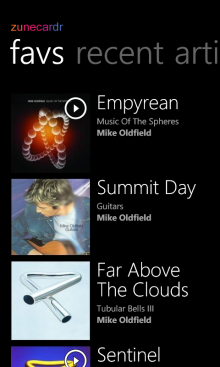
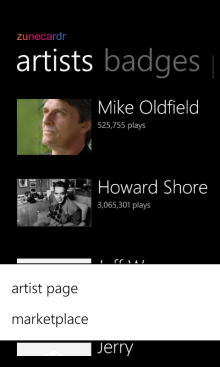
Enter a Zune Tag into ZuneCardr and view that person's Favourites, Recent Plays, Played Artists, Badges Earned and more. Plus you can create a Zune Card Image based on any of this information, include the items you want seen, plus various customisation options and themes available.
- Gallery
- FAQ
-
Can I get the Source Code for ZuneCardr?
Yes! Just visit zunecardr.codeplex.com to download the latest source code for ZuneCardr, you can also download the application executable there too, plus leave feedback and comments.How do I install ZuneCardr?
Just download ZuneCardr (zunecardr.exe) which is 210KB in size to your Downloads or other personal folder. Then you can launch the program by double-clicking on the file to launch ZuneCardr. You will need .NET 3.5 SP1 on your Windows XP, Windows Vista or Windows 7 Computer. ZuneCardr will download the images from the Zune Card service the same way and speed as when you view a Zune Card online, however they will take a little time to appear in the software so a 0.5MBit or faster internet connection is recommended.How do I create a Card?
Just type in a Zune Tag into ZuneCardr and select Next. Choose the Covers, Artists, Badges or other items you want to use by checking the boxes, then select Next again. This final step shows the Card, you can select any Style from the topmost drop-down list, select the source for your card with the other drop-down list e.g. Favourites. Each card shows a different number of items so use the checkboxes in the prior steps to get the ones you want to show.What can I do with the Card?
The final step of ZuneCardr allows you to choose what you want to display on your Card, plus other things like the Zune you own and other options like the Themes or Colours to use on the Card. You can Save your card into various formats such as JPEG and PNG or Copy the image to the Clipboard. You can then upload this card to a photo sharing website, your blog or use it anywhere else you want, it is up to you!What happens if there is a problem?
Sometimes Images for the Card take a while to download, just wait until all the images are show in the lists under Favourites, Artists, Badges etc. If any images are still missing then check the Zune Card via Zune Social online as the problem may be there. Make sure you allow ZuneCardr access to the internet, you will be prompted the first time it tries to connect, please allow this - download access only is required, if not then add the application to your Firewall allowed programs. Problems with Downloading or Processing data will appear under "Details..." use the Copy to Clipboard and the Paste this into the Support form plus the Zune Tag you were using.Who can use ZuneCardr?
Anyone may use the software, the Licence to use the software can be found by clicking "About", by downloading and using the software you are bound by this agreement. ZuneCardr uses the information and images from the Zune Card service however the images and data may not be used for commercial purposes and are the property of the respective owners.How can I share ZuneCardr?
Use the following code / link button to share ZuneCardr:
<a href="http://www.zunecardr.com/">
<img src="zunecardr88x31.png" width="88" height="31" alt="Download ZuneCardr Free" /></a>
What about previous versions of ZuneCardr?
If you only are able to use the previous versions of ZuneCardr, then you can still do so however these are no longer supported, if you have .NET 3.5 or later you should be able to use the current supported version instead.
Current Version is 3.0.0.0 , 24th February 2009Can I create my own Custom Card Style?
Yes - you can create your own Card style - ZuneCardr uses XAML which you can edit even in Notepad but can also use tools such as Visual Studio 2008 or Expression Blend 2, or more recent versions of these and any compatible package. View the Custom Style Guide for more information including references for all the elements used such as Zune Tag, Cover Art and more!